 #31in Cartoon Photo Editing
Cartoon Photo Editor: AI Art
What is Cartoon Photo Editor: AI Art?
Cartoon Photo Editor: AI Art converts a user's photo into stylized artwork in styles such as cartoon classic, modern anime, manga line, comic ink, pastel cute, graphic novel, sketch and pixel-inspired. Users can adjust style strength, line detail and background, and export in several aspect ratios. The listing says face data is not permanently stored and that processed images stay on the device unless the user saves them.
Pricing. Cartoon Photo Editor: AI Art is free to download, with in-app purchases on the App Store.
Good for
- Making a cartoon or anime-style profile picture from a selfie
- Creating avatars and social posts in several aspect ratios
- Keeping a consistent look across different art styles for creator branding
Screenshots
Why this app is in D tier
Cartoon Photo Editor: AI Art scores 54 out of 100: rating 73, rating count 54, App Store search rank 0, update recency 87. The four parts are averaged with no weights, and D tier follows from that score within this list. The full explanation, as data.
Description
Turn your photo into polished cartoon, anime or comic artwork in seconds. Gala focuses on clean lines, vivid colors and consistent facial features - ideal for standout profile images and creator branding. Why Gala? • Instant results with a simple, guided flow • Consistent faces across different styles • Studio-clean outlines and natural color palettes • Privacy-minded design with clear delete controls • Minimal steps, clear previews, high-resolution exports Style Packs • Cartoon classic • Modern anime • Manga line • Comic ink • Pastel cute • Graphic novel • Sketch • Pixel-inspired How It Works? 1. Upload a clear, front-facing photo 2. Choose a style pack (try multiple looks) 3. Adjust detail strength and background 4. Generate, compare, fine-tune and save Smart Controls • Style strength and line detail • Background: solid, gradient or pattern • Aspect ratios for avatars, posts and stories • Batch and high-resolution export options Tips For Best Results • Use good lighting; keep the whole head visible • Keep the camera at eye level and look forward • Avoid heavy occlusions like sunglasses Gala Pro Unlock additional style packs, higher export sizes and priority access to new looks. A
Compare in Cartoon Photo Editing
| Measure | Cartoon Photo Editor: AI Art | 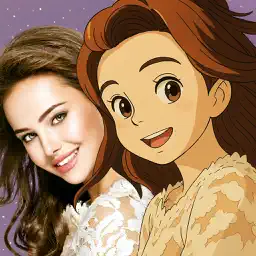 Anime Camera Anime Camera |  Cartoon Yourself - Mecartoon Cartoon Yourself - Mecartoon |
|---|---|---|---|
| Tier | D | D | D |
| Score | 54 / 100 | 54 / 100 | 52 / 100 |
| Rating | 4.2 ★ | 3.6 ★ | 3.8 ★ |
| Ratings | 24 | 8.6K | 10.0K |
| Last update | 138d ago | 546d ago | 2101d ago |
| Price | Free + IAP | Free + IAP | Free + IAP |
Alternatives
See all 39 ›Most similar


Top rated in Cartoon Photo Editing


Where else it ranks
- Best AI Art Generation Appslisted, beyond the tiered top, score 54
- Best Photo Generation Appslisted, beyond the tiered top, score 54
- Best AI Photo Generator Appslisted, beyond the tiered top, score 54
Questions about Cartoon Photo Editor: AI Art
Is the app free to install?
Yes, it is free to download. It also offers in-app purchases, including Gala Pro, which unlocks additional style packs and higher export sizes.
Does the app store my face data?
The listing says the app does not permanently collect or store face data and that photos are processed temporarily via an AI API. It also says processed images remain on the device unless the user explicitly saves them.
What kind of photo works best?
The listing recommends a clear, front-facing photo with good lighting, the whole head visible, the camera at eye level, and no heavy occlusions such as sunglasses.
Is Cartoon Photo Editor: AI Art free?
Cartoon Photo Editor: AI Art is free to download, with in-app purchases.
What is Cartoon Photo Editor: AI Art good for?
Cartoon Photo Editor: AI Art is built for making a cartoon or anime-style profile picture from a selfie, creating avatars and social posts in several aspect ratios, keeping a consistent look across different art styles for creator branding. It sits in the cartoon photo editing list on AppTierList.
Is Cartoon Photo Editor: AI Art worth it?
Cartoon Photo Editor: AI Art is D tier, ranked #31 of 40 cartoon photo editing apps with a score of 54 out of 100, from a 4.2 App Store rating across 24 ratings. 30 apps rank above it in the same list.
How does Cartoon Photo Editor: AI Art compare to Anime Camera?
Cartoon Photo Editor: AI Art is D tier at 54; Anime Camera is D tier at 54. They score the same. Cartoon Photo Editor: AI Art is free to download, with in-app purchases, Anime Camera is free to download, with in-app purchases.
How often is Cartoon Photo Editor: AI Art updated?
Cartoon Photo Editor: AI Art was last updated on 2026-06-07, 138 days ago.
All the facts
- Lists
- Cartoon Photo Editing (D tier, #31) · AI Art Generation (#53, beyond the tiered top) · Photo Generation (#87, beyond the tiered top) · AI Photo Generators (#90, beyond the tiered top)
- Tier
- D (Weak)
- Score
- 54 / 100
- Rank in list
- #31 of 40
- Ranking certainty
- early: few ratings or search ranks so far
- Price
- Free + IAP
- App Store rating
- 4.2 out of 5
- Number of ratings
- 24
- Current version
- (138 days ago)
- App Store data read
- App Store category
- Graphics & Design
- Good for
- Making a cartoon or anime-style profile picture from a selfie, Creating avatars and social posts in several aspect ratios, Keeping a consistent look across different art styles for creator branding
- Requires
- iOS 16.6 or later
- Size
- 34 MB
- Age rating
- 4+
- Languages
- 19
- Runs on
- iPhone
- Developer pages
- Website · Support · Privacy policy
- Maker
- unclaimed
- As data
- JSON · why it ranks here
App Store data read · ranking · how it is computed